

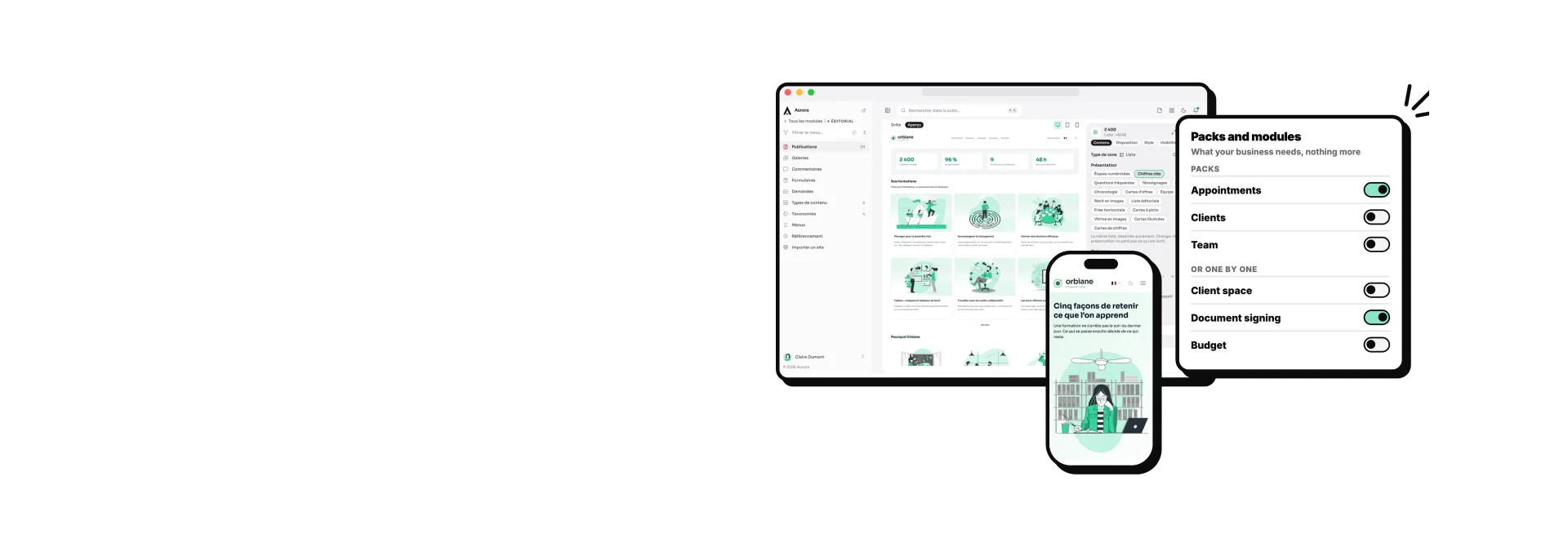
-
Included
15
tools included in every site
-
Packs
3
packs to match your business
-
Modules
8
modules to take one by one
-
Integrations
16
connected services, already included or on request
The back office
Your site, in your hands
Everything your site needs to run is included. Depending on your business, a pack adds the tools to run it, or you take just the module you need.
Included in every site
Content
Pages and posts
You build and publish your pages yourself, without touching the code.
- Zones to add, move and resize
- Ready-made sections to insert
- Draft, review and going live on the date you choose
- Saved versions, to compare and restore
Media library
Your images and documents in one place, filed and easy to find.
- Folders, categories and tags
- Several images added at once
- Cropping and social media formats, right there
- Alt text for every image
Photo galleries
The tool is included: you add your photos to a post yourself. If you hand the work to me, that's the Photo gallery option.
- A grid or a mosaic, as you prefer
- The caption and alt text of each photo, translated
- A viewer that opens on a click
- Someone manages the photos without access to the rest of the page
Custom content
A site is more than pages: you create the content types and categories your business needs.
- Your own types: projects, dishes, series
- Custom fields: text, number, date, list of choices
- Nested categories and tags
- A page per category, and lists that keep themselves up to date
Forms
You build your forms yourself, question by question.
- Ready-made templates: contact, quote, registration
- Several steps, and questions that depend on the answers
- An email for every submission
- The answers in your back office, exportable as CSV
Comments
Your readers respond under your posts, and you stay in control.
- Threaded replies and reactions
- Moderation before anything appears, on by default
- A filter that sets spam aside
- Comments closed on the post of your choice
Visibility
Search engines
Search settings live in each post, language by language.
- The title and description for search engines
- A sharing image for each post
- A sitemap generated by the site
- An audit that lists what is left to fix
Multilingual
A post carries its languages: same layout, different words.
- French, English, Spanish, German and Dutch
- Search settings and menus follow the language
- You add your translations yourself, page by page
Menus
You build your menus yourself: you add, order and nest the entries.
- A page, a category, an outside address or an anchor
- The header, the footer and the account menu
- On a phone, the menu folds behind a button
Redirects
An old address leads to the new one, with no missing page.
- Permanent (301) or temporary (302)
- The number of visits for each redirect
- Addresses not found in the last 90 days, ready to redirect
QR codes and short links
You create your codes and short links yourself, with no subscription.
- A code in your style, with your logo
- A destination that changes without reprinting
- Scans and clicks counted day by day
- Export as SVG, PNG or a sheet to print
Site search
Your visitors search your content, one content type at a time.
- A search zone to place on a page
- The text of the pages, not only their titles
- Results that arrive as you type
- On a listing page: a field and filters
Management
Users and roles
Each person has their own account, and only reaches what you open to them.
- An invitation by email
- Permissions per screen: view, create, edit, delete
- A module hidden from one person only
Theme in your colours
Your site's look is set without touching the code.
- Your colours, your font and the content width
- Your logo and your tab icon
- A preview of the home page before you save
- A page in its own colours if you wish
Small tools
Three tools that come in handy now and then, each switched on separately.
- The links on your pages checked every night, with the page to correct
- Your email signature, ready to paste into Gmail, Outlook or Apple Mail
- The golden and blue hours of a place, to plan a shoot
Packs
Appointments
A booking block on your pages: the visitor picks a free slot, with no account, and you confirm. An appointment, a session or a table.
What's included
- Your appointment types, their length, your opening hours and closed days
- An email to the visitor, with a link to cancel or move
- Requests in your calendar, to confirm or decline
- Their details erased 90 days after the appointment
- An email to the address of your choice for each request
- Setup and onboarding
With Google
- Your Google busy times block the slots
- Appointments land in your Google Calendar
- A Meet link created for every video call
Who it is for
- Coach
- Therapist
- Consultant
- Trainer
- Salon
- Restaurant
What you prepare
- Your hours, your appointment types and the questions to ask
- With GoogleA Google account, and for Meet links a home page and a privacy policy on your domain
Clients
Everything to work with your clients from your back office, with no extra tool.
What's included
- Client spaceA private space per client, their files, your deliverables and their contracts to sign online
- TransfersYour files sent through a link that expires
- Calendar and bookingYour clients book their appointments online
- BoardsYour tasks in columns, to share with your team
- Setup of each module and onboarding
Who it is for
- Community manager
- Photographer
- Graphic designer
- Videographer
- Small agency
Team
To organise yourselves as a team, in the same back office as your site.
What's included
- BoardsYour tasks in columns, private or shared
- NotesYour notes linked together, filed in folders, shareable
- TransfersYour files sent through a link that expires
- Setup of each module and onboarding
Who it is for
- Small business
- Association with volunteers
- Training organisation
Or one by one
The calendar and online booking, in one place.
A private space per client, their files, your deliverables and their contracts to sign online.
Your files sent through a link that expires, from your own site.
Your tasks in columns, alone or with others.
Your notes linked together, filed in folders, shareable.
Your accounts, your forecast and your spending filed, from your bank statements.
Your vehicles, their estimated mileage, services, fills and papers, with reminders.
You upload a PDF that is already written, such as a quote or a lease, and have it signed online. This is different from the contracts in the Client space, written from your contract templates.
No need for a site? The suite alone, with at least one module or a pack: your address opens straight onto your workspace.
Options
What I do for you
A tool you use on your own is included. If you hand the work to me, it's an option: add it in the quote or later.
Custom form
The Forms tool comes with your site, with ready-made templates (contact, quote request, event registration): you can build your forms yourself. With this option, I build yours, to your needs.
What's included
- The form on the page of your choice, with your fields and choices
- An email for every submission, to the address of your choice
- The answers filed in your back office
- Spam protection, with no puzzle to solve
What you prepare
- The list of fields and choices to offer
- The address that receives the notifications
- A free Cloudflare account in your name, for the spam protection
Extra language
Multilingual comes with your site: you can add your translations yourself, page by page. With this option, I build your pages in the new language: every page has its version, and visitors switch languages in one click.
What's included
- The pages built with your translated text
- Your site menus in that language
- The language switcher on every page
What you prepare
- Your translated textTranslation is not included
Print-ready QR codes
The QR code tool comes with your site: you can create your codes yourself. With this option, I create them for you.
What's included
- Your codes created and linked to the right pages
- Every code scanned and checked before delivery
- A print-ready PDF sheet
- Editable codesThe target page can change without reprinting
What you prepare
- The list of materials (cards, posters, menu, shop window) and the page each one points to
Photo gallery
The gallery comes with your site: you can upload your photos yourself. If you hand it to me, I build it for you.
What's included
- Your photos imported, made lighter for the web and set in the order you want
- The gallery placed on the page of your choice
By number of photos
- Up to 50 photos
- Up to 100 photos
- Up to 300 photos
- Beyond that, on quote
What you prepare
- Your photos, in good quality
- The order you want, or groups if there are several
Training hour
One hour by video call, on your own site, to move forward on what matters to you.
What's included
- Getting started with a module, or training a new person
- Answers to your questions, on your real pages
What you prepare
- Your questions, or what you want to learn to do
Integrations
Your tools, connected to your site
Your site connected to the tools you already use. I set these services up for you, on accounts in your name.
Newsletter
Visitors sign up from your site; their address lands in your Brevo list once they confirm it by email.
What's included
- The sign-up zone, on the pages of your choice
- Double opt-inVisitors confirm their address before they are added
- The confirmation email sent from your own domain
- The GDPR wording in your privacy policy
What you prepare
- A free Brevo account in your name
- Access to your domain’s DNS settings
- Your privacy policy
Google reviews
The reviews left on your Google listing, shown on the pages of your choice.
What's included
- Your rating and number of reviews
- Your most recent reviews
- A link to leave a review on Google
- Updated automatically every six hours
What you prepare
- Your Google listing (Business Profile)
- A Google account in your name, for the access key
Google tracking
Your site registered with Google, and its figures readable without leaving your back office.
What's included
- Your site verified in Google Search Console
- Your clicks and Google rankings, in your back office
- Your page speed
What you prepare
- A Google account in your name
Appointments with Google
With the Appointments or Clients pack: your appointments join your Google Calendar, and every video call gets its Meet link.
What's included
- Your Google busy times block the slots
- Appointments land in your Google Calendar
- A Meet link created for every video call
What you prepare
- A Google account, and for Meet links a home page and a privacy policy on your domain
Instagram feed
Your Instagram posts shown on your site, with nothing to copy over.
What's included
- Your latest posts, on the page of your choice
- Updated automatically every six hours
- Access renewed every night, with nothing for you to do
What you prepare
- A professional Instagram account (free)
- A Meta developer account in your name
Already included
Cookie banner
A consent banner built for your site, with no outside service.
- Accept all, refuse all or choose service by service
- Third-party content, such as a YouTube video, waits for the visitor's consent
- Your wording in each language
- A simple notice if there is nothing to ask
Cookie-free audience
Your visits counted with no cookie, keeping nothing about who visits.
- Visitors, page views and visits over 7, 30 or 90 days
- The most viewed pages and where visits come from
- Neither robots nor your signed-in team are counted
Site emails
Your forms, appointments and accounts send their emails in your colours.
- Notifications, confirmations and forgotten passwords
- Your logo at the top of each email
- The connection done for you, when the site goes live
What to prepare on your side
- A free Brevo account in your name
- Access to the DNS settings of your domain name
Travel map
A trip told on a map, stop by stop.
- Up to 20 stops per map
- The photo taken at each stop, one click away
- An OpenStreetMap map, with no key or account
GitHub activity
Your GitHub work, shown on your pages.
- The contribution grid of the last twelve months
- Your repositories as cards: language, stars and last update
- The latest releases of your repositories
Other integrations, on request
Google Calendar
A calendar on your site connected to your Google calendar.
- Both stay the same, in both directions
- A change arrives in under a minute
- Invitations stay managed in Google
- On request, added to your quote
What to prepare on your side
- A Google account in your name
Cloudflare R2 storage
Your files kept on Cloudflare R2 rather than on your site's server.
- Your images and documents first, module by module, after a test on your account
- Only future files go there: those already in place do not move
- On request, added to your quote
What to prepare on your side
- A Cloudflare account in your name
Pexels image library
Free photos, searched without leaving your back office.
- A Pexels tab in the image picker
- The chosen photo lands in your media library, with its credit
- On request, subject to Pexels’ terms for your case
What to prepare on your side
- A Pexels account in your name
Google Drive
With the Client space: a client's Drive folder shows in their space.
- The folder shared read-only, nothing is copied
- A folder for your team, common to all spaces
- On quote: priced within a week
What to prepare on your side
- A Google account in your name
- Each client's folder, shared read-only
Spam protection
Cloudflare Turnstile checks that your forms are filled in by a person.
- With no puzzle to solve
- All your forms, including the ones you build yourself
- Also comments and newsletter sign-ups
- On request, added to the quote: already part of the Custom form
What to prepare on your side
- A free Cloudflare account in your name
Google sign-in
Your team signs in to your back office with their Google account.
- A “Continue with Google” button on the sign-in page
- Only accounts that already exist get in: none is created
- The password still works
- On request, added to your quote
What to prepare on your side
- A Google account in your name
Your accounts and subscriptions (Brevo, Google, Instagram, Cloudflare, Pexels…) stay in your name and at your expense, paid directly to each. My service covers the setup, not these subscriptions.